elementary OS 8.1.1 Available Now
Shedding bugs fresh out of the gate

New year, new minor release! elementary OS 8.1.1 is here with another round of bug fixes and the latest Ubuntu LTS Hardware Enablement Kernel. This update addresses a ton of small things you reported to us over the winter break. Read ahead to find out what’s new!
Dock
The dock now has more informative tooltips, including showing Super + 1–9 shortcuts for the first 9 apps, and a tooltip on the background apps item.
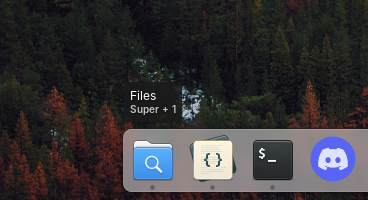
The Dock now shows more informative tooltips
Workspaces now have an animated pressed state and expand to accept drops when in multitasking view. Plus, you can now uninstall apps or view them in AppCenter from their secondary-click menu, just like you can from the applications menu. And, we fixed issues with the dock’s appearance in screenshots on HiDPI displays and where the dock could become invisible in Classic sessions.
AppCenter
We now update badges in the Dock and Applications menu even if you run updates from another app store or via Terminal. We fixed an issue where pressing “Cancel” buttons might not give immediate feedback. And we now send notifications when an app is uninstalled and AppCenter is closed, such as when uninstalling from the applications menu or dock.
Window Manager
System dialogs like password dialogs now have a blur effect in addition to the dim effect. Plus we made sure to disable hotcorners while they are present and fixed a bug that prevented using accessibility shortcuts—like zoom.
We fixed in issue where the window switcher could leave a non-interactive area on screen when closed, plus an issue where the 6th and 13th keypresses could be skipped while Alt + Tabing. We fixed a couple of issues with multitasking, including ones with fullscreen windows not properly being moved, animations when reordering workspaces, and missing icons in the show all windows view. Plus we fixed blurry picture-in-picture resize icons on fractionally scaled displays.
Panel
We fixed an issue that prevented the Ctrl + Alt + Del shortcut from opening the end session dialog until Quick Settings had been opened. And end session dialogs now have the same background dimming and blur effects as password dialogs.
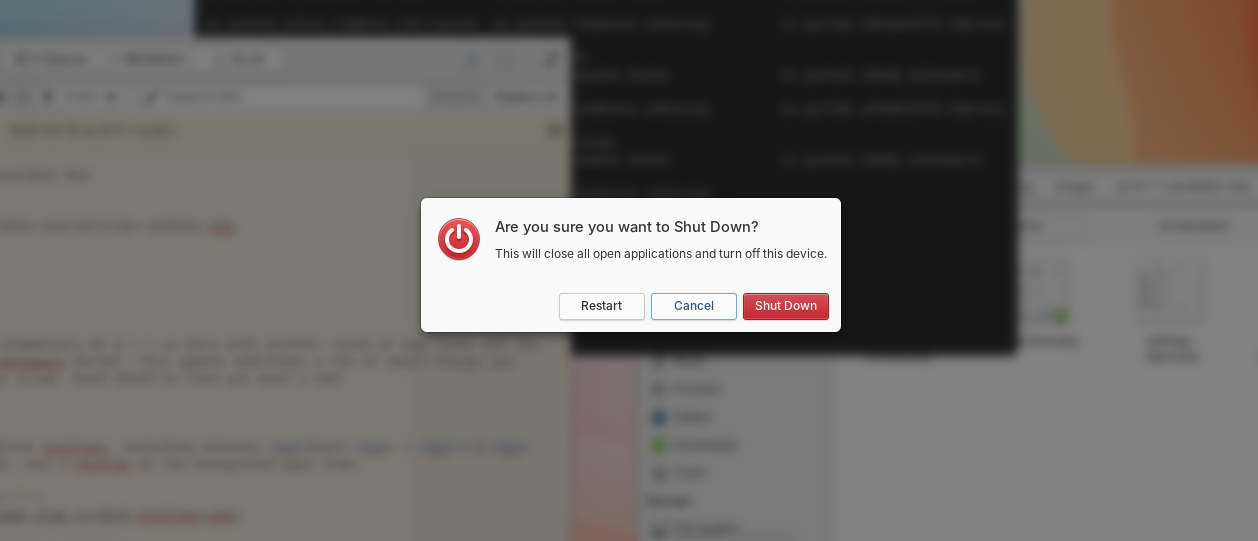
End Session dialogs now have a background dimming effect
We’ve also fixed an issue where apps where launched twice or could even possibly crash when pressing enter while searching the Applications menu.
System Settings
We’ve made tweaks to several of our default settings in this release including defaulting to enabling automatic updates, turning off intrusive WiFi notifications, and removing the Multitasking View and System Settings launchers from the dock. System Settings is always available from Quick Settings and Multitasking View can be launched by selecting the already active workspace item in the dock. You can of course always change which apps are pinned to your dock and adjust other options in System Settings.
There’s a new option in Applications → Defaults to select your default PDF viewer, and we’ve slightly tweaked the icon for Background Activity permissions to be a bit cuter.
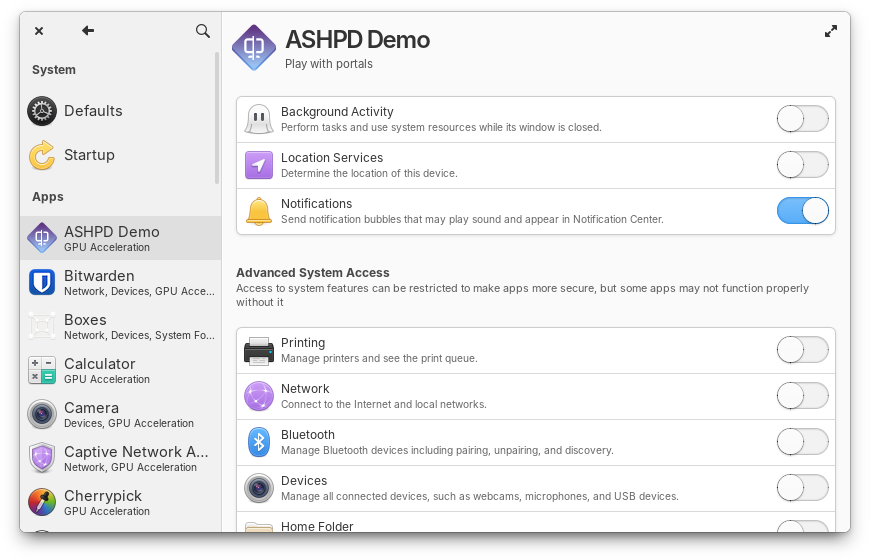
Background Activity icons are just a little bit cuter
We’ve adding Pointing Stick options to Mouse & Touchpad settings and a new setting for Touchpad drag lock. Plus we improved screen reader accessibility.
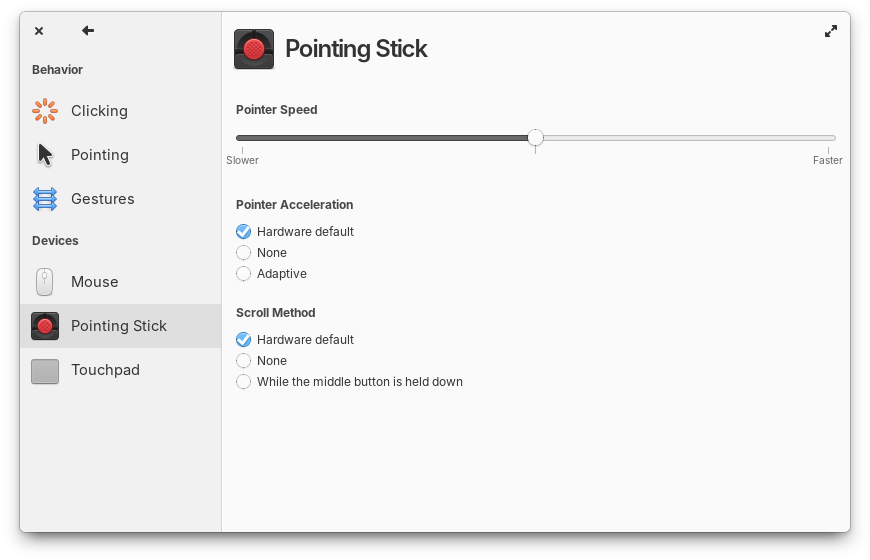
New settings for Pointing Sticks like ThinkPad’s TrackPoint
We fixed an issue where “Driver Available” notifications were being sent for drivers that were already installed. And we’ve improved the reliability of remembering Bluetooth state between sessions. And “Wacom” settings has been renamed to “Pen & Drawing” since it also provides settings for internal digitizers in devices like StarLab’s StarLite.
And More
The screenshot app got some new icons for screenshot modes, and those modes now have text labels. Plus we now remember the last selected screenshot mode—perfect for when you’re taking multiple screenshots in a row.
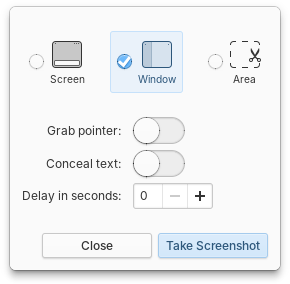
Screenshot has updated icons and labels for modes
We’ve improved screen reader accessibility and keyboard navigation in the Feedback app and fixed issues with custom installation types where the partition editor would appear behind the installer.
OS 8.1.1 also includes the latest long-term support Hardware Enablement stack from Ubuntu, including Linux 6.17. This brings the latest Intel graphics drivers, better power management for AMD hybrid GPUS, performance improvements for gamers, support for more ARM devices, and more.
Get elementary OS 8.1.1
elementary OS 8.1.1 is available as a pay-what-you-can purchase at elementary.io today. Localized direct downloads and a torrent magnet link are provided.
Sponsors have been able to download OS 8.1.1 release candidates since last week, so if getting things before anyone else is important to you, consider sponsoring us on GitHub
Thank You
Thanks to all of our supporters, backers, and customers! Your contributions make elementary possible. If you’d like to help build and improve elementary OS, don’t hesitate to Get Involved.
We’re accepting limited sponsors for the elementary Blog. View our public analytics and learn more if you are interested.


